von Thimo Hofner

Google regularly offers promotional credits for Google Ads. Most people associate them with new accounts — but existing advertisers can get offers, too.
These often arrive via email or sit quietly in the Promotions section, which makes them easy to miss. I nearly overlooked one recently. Here’s what Google Ads credits are, how to redeem them, and where to check whether you’re eligible.
In this article, I’ll show you how Google Ads promotional offers work, how to redeem them and where you can check whether you’re eligible.
What are Google Ads promotional offers?
Google Ads credit is an advertising cost voucher that is offset against future advertising costs. No payment possible.
How do you redeem them?
Either via a signup offer for new accounts or via billing → promotions by code.
How do you check eligibility?
In your account under Promotions and in your Google emails.
By the way, if you want, you can also check out my video on this:
Essentially, it is an ad cost credit added to your account if you meet certain criteria.
You can find Google’s explanation here.
Typical logic:
Important, because it is often misunderstood:

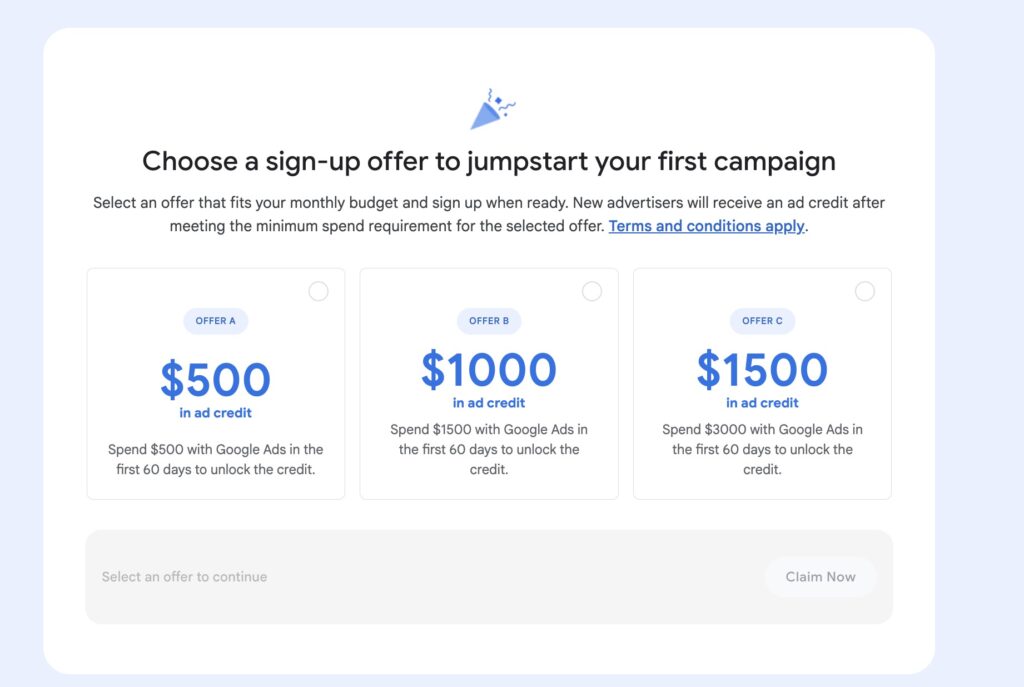
For new accounts, Google often shows an offer such as “Spend X in the first 60 days to unlock Y credit” directly at the start You choose an option that matches your planned budget. After that, it usually works like this:
Current offers:
If you’re just setting up a new account, here’s my guide to setting it up:
If you receive a code by email or via a partner, you can enter it in Google Ads:
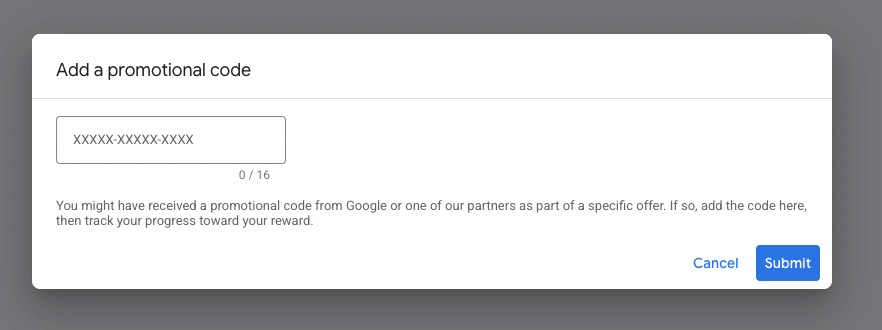
Then apply again: fulfill the conditions, then the credit will be credited automatically.
This is the quickest check. If an offer is active or a code can be stored, you will see it there.
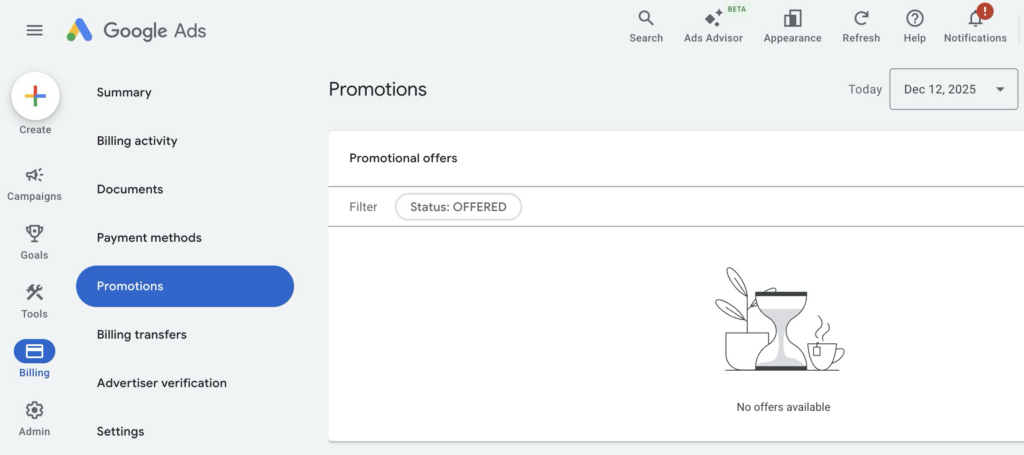
My tip: Don’t just check it once, but make a little routine out of it. Especially if several people have access to the account or the account is not opened daily.
Many promotions come as marketing emails from Google. These tend to end up in tabs such as “Advertising” or get lost in your inbox.
Search terms for the inbox:
If you work with a Google Partner, this can be a real advantage.
I am a Google Partner myself. In Manager accounts, there is a separate overview for Promotional offers, and depending on the country and account, offers appear there that I can use for my customers.
Are the Google Ads promotional offers only available for new customers?
No. There are classic signup offers for new advertisers. But there are also promotions for existing advertisers.
Can I have the credit paid out?
No. It is only offset against advertising costs.
Why don’t I see an offer even though others are receiving one?
Promotions are selective. Not every account automatically receives an offer.
Where can I see the expiration date and status?
Usually under Billing → Promotions.
Google Ads credit is quickly “earned” budget if you fulfill the conditions.
The most important point: Not only new accounts benefit. Existing accounts also sometimes receive codes by email, and it is precisely these that are often overlooked.
If you don’t want to miss out on this topic, do the 2-minute check today:
This will save you several hundred euros in case of doubt.
Work smart with Clicks in Mind

Hi, my name is Thimo Hofner. I have been working in online marketing as a Google Ads Manager for more than 5 years. Through many courses, trainings and most importantly working with many different clients, I have learned the best strategies for success with Google Ads. On my blog and YouTube, I share my knowledge to help you drive more success with online marketing.

Driving Your Success Through Smart Online Marketing.
As a reliable partner, I can help your company generate more customers and sales with Google Ads. After more than 5 years as a Google Ads Manager and more than $1.2 million in managed advertising budgets, I can quickly recognize where you need to make adjustments to get more out of your budget.


© 2026 Clicks in Mind